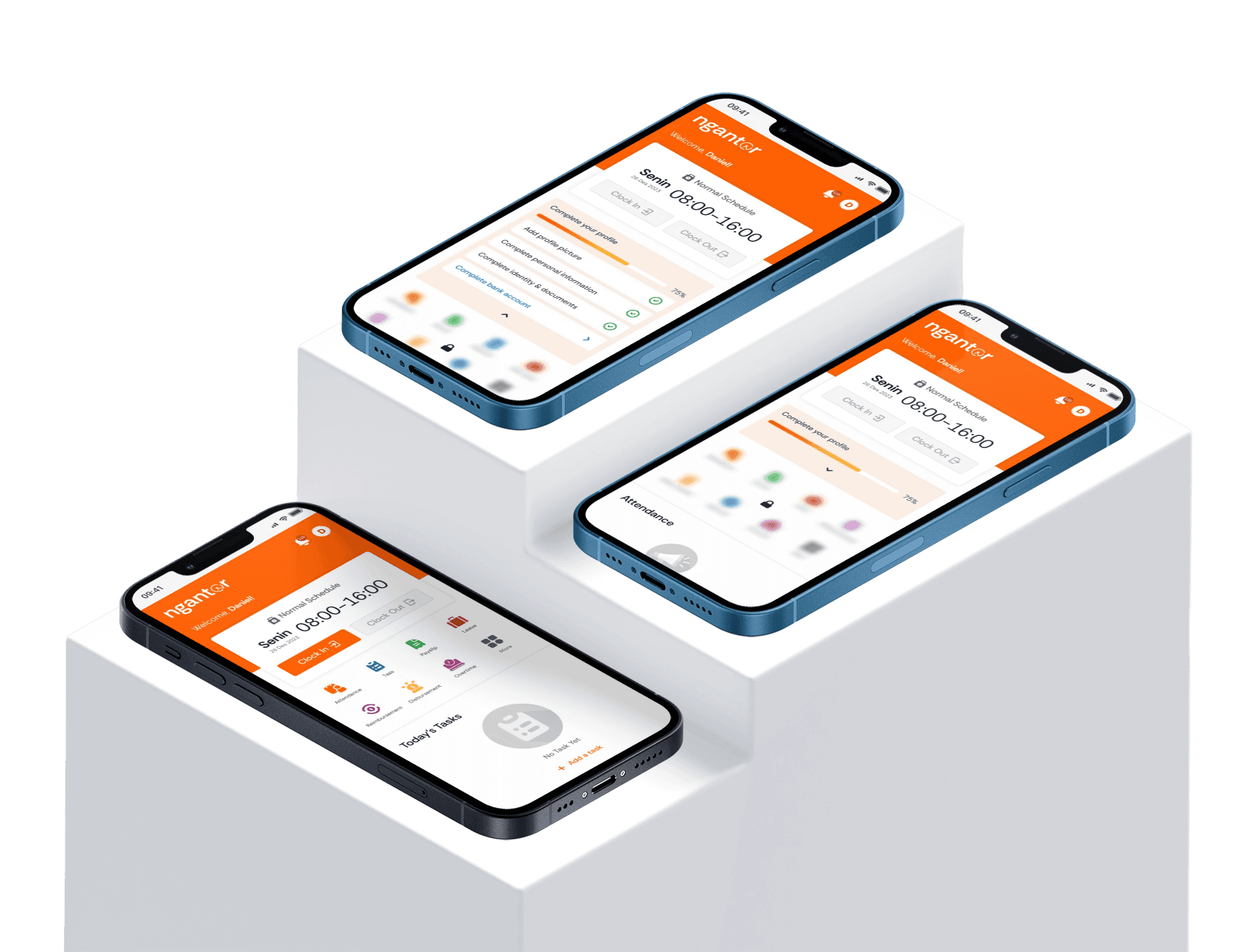
Ngantor is an HR management system designed to facilitate employee data management for HR teams while providing employees with seamless and self-service access.

Project Background
This project began when my company decided to build an in-house HR management system to automate employee attendance and streamline day-to-day HR operations.
Project Goals
Automate attendance tracking
Reduce HR cognitive load
Improve data accuracy
User Targets
Internal employees
HR team
Director
Finance team
The Challenge
Because the company didn't have a dedicated research, business, or HR team at the time, I was a bit confused about which core and additional features we should include in the system.
The Strategy
To overcome this challenge, I consistently aligned with my director to define the essential requirements for the MVP stage. Additionally, I conducted a competitive analysis to uncover industry-standard features and user flows.
Responsibilities
End-to-end designer to including desk research, design dual-side UI/UX for admin and employee roles, and collaboration to other team and stakeholders.
Result
All design solutions for the admin and employee scopes were completed and implemented into the web platform. However, the project is temporarily on hold, so long-term impact metrics are not yet available.
RESEARCH
Feature Discovery with Competitor Analysis
To gather the necessary data, I conducted a competitor analysis of existing platforms, specifically Talenta and Gadjian.
My analysis focused on three key areas:
Core and supporting features: Mapping out existing product capabilities.
Pros and cons: Evaluating the strengths and weaknesses of each platform.
User flow and interface design: Analyzing the overall user experience and visual layout.

IDEATION
Defining the MVP Features to Iterating on Feedback
Following the initial research, at that time I aligned with the director to determine which features would be built for the Minimum Viable Product (MVP) stage. I synthesized our findings using an affinity diagram to categorize the insights.
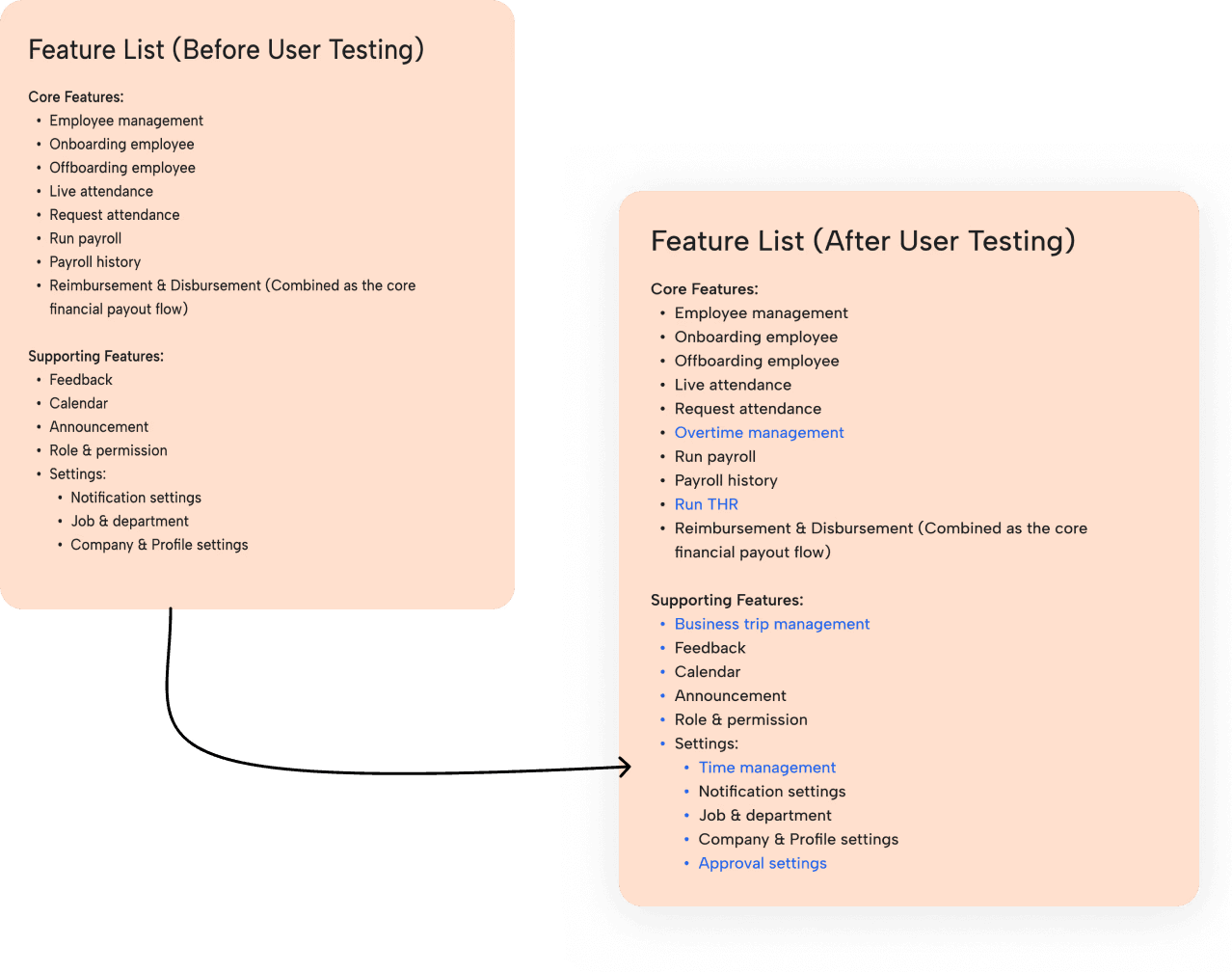
Initially, we decided to build 8 core features and 6 supporting features.
A few months later, once a functional build was ready and the HR team was formed, we conducted user testing to gather their feedback.
Their feedback led to several structural adjustments and revealed 3 additional core features they critically needed. As a result, this early version of Ngantor successfully scaled to 10 core features and 10 supporting features.

DESIGN EXECUTION
01 - Wireframing & Structural Layout

DESIGN EXECUTION
02 - Design Guidelines & Components

DESIGN EXECUTION
03 - Crafting the User Interface
ADMIN DASHBOARD
HR Dashboard
The HR dashboard enables quick monitoring and immediate action-taking. Key features include:
Attendance Overview: High-level attendance tracking.
Request List: Actionable list for pending HR approvals.
Employee Totals: A breakdown of total workforce metrics.
Recent Transactions: A log of lately created transactions.
Recent Announcements: A list of the latest company notices.

Onboarding
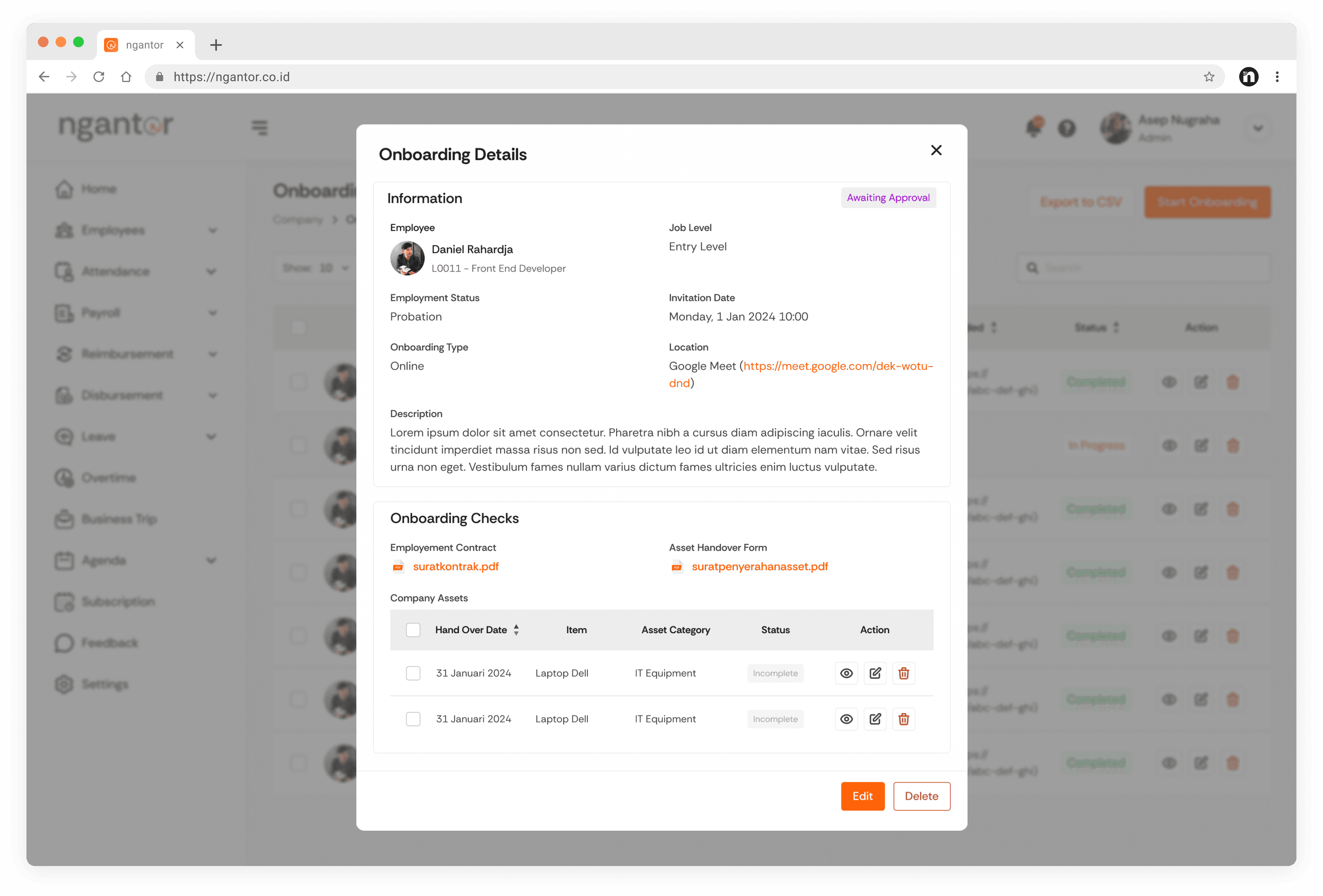
This feature is designed to ease the onboarding cycle. Key features include:
Onboarding list: To monitor and manage onboarding data that has been processed.
Onboarding details: Get employee profiles and track onboarding checklists.
Export data: Download onboarding employee data for offline use.
Live Attendance
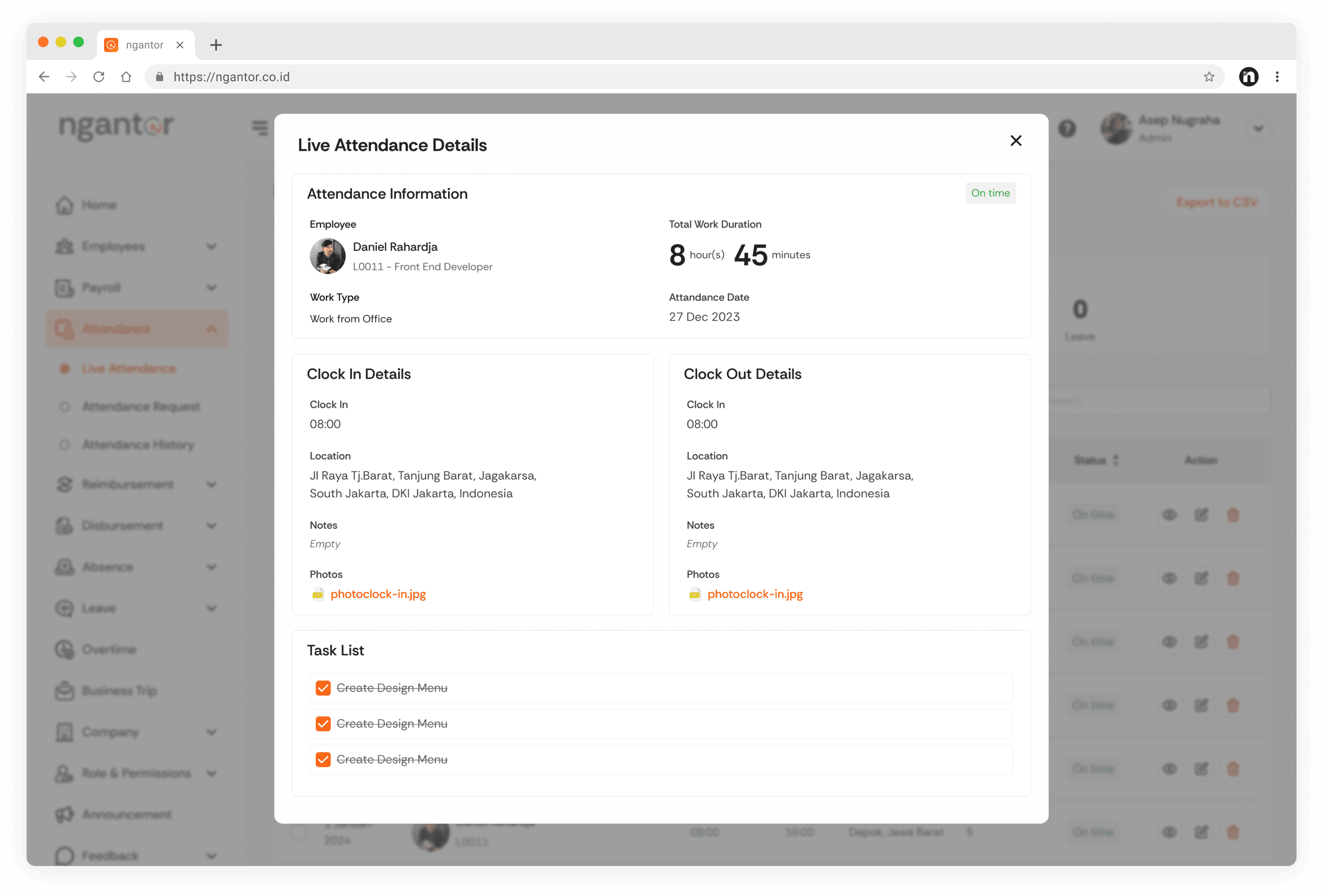
Live Attendance Management is the administrative control panel used to monitor employee attendance in real time. Key features include:
Live attendance list: Monitor and manage real-time employee data.
Live attendance details: View attendance data and employee tasks during both clock-in and clock-out periods.
Export data: Download live attendance data for offline use.
Payroll
This feature facilitates HR or other related roles to run the payroll according to settings that have been configured. Key features include:
Payroll settings: Define payroll schedules, assign employees, and configure rules before processing.
Run payroll: Process and send payroll receipts to the selected employees.
Payroll history: Track and review past payroll logs that have been created.

EMPLOYEE DASHBOARD
Employee Dashboard
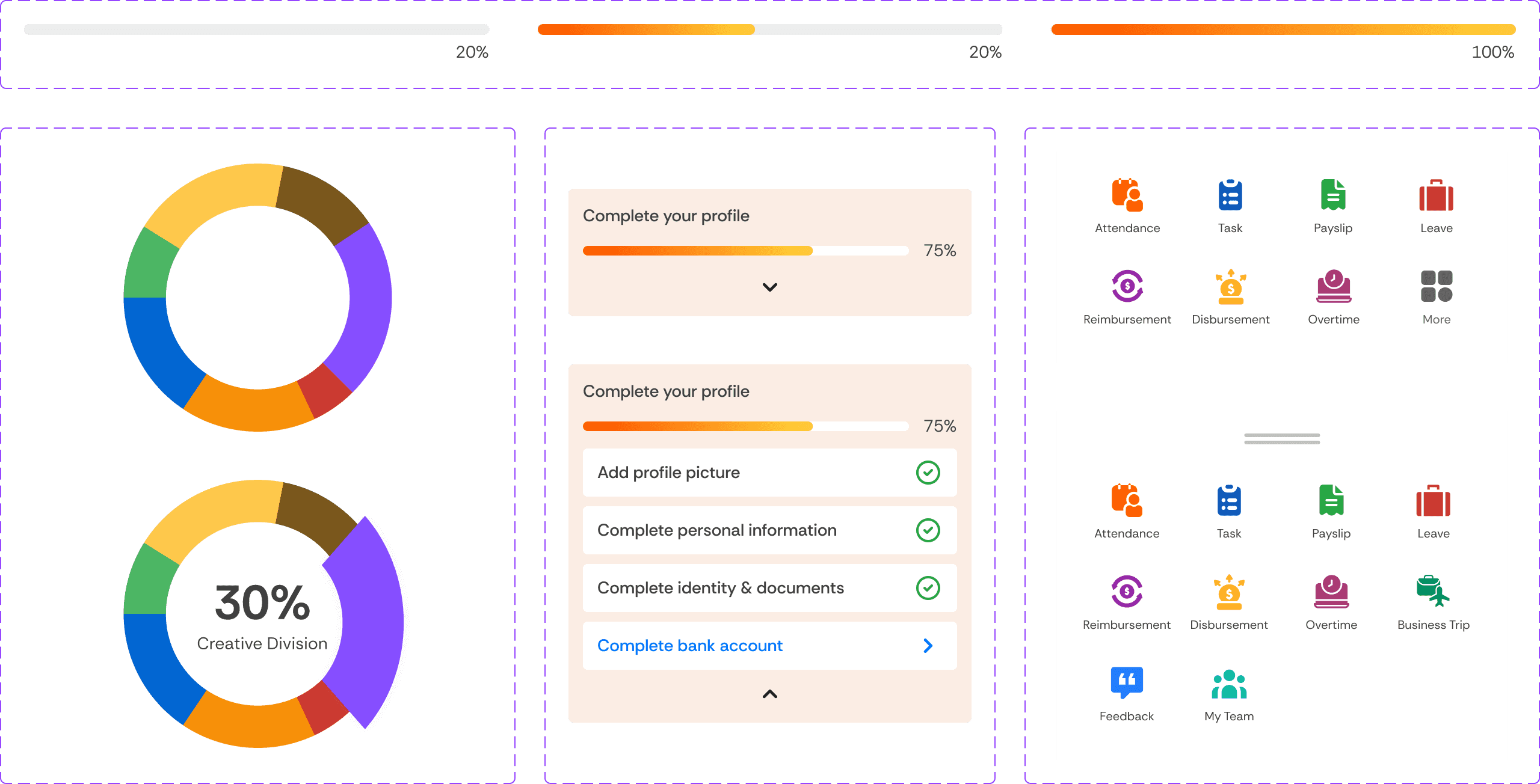
The employee dashboard allows team members to clock in and out quickly, while providing quick actions to navigate seamlessly across all menus.
Key features include:
Attendance section: Allows employees to easily clock in, clock out, and record daily attendance.
Main navigation: Provides instant access to all key menus and portals on the employee side.
Task list section: Displays specific tasks and daily action items assigned to the individual employee.
Announcement section: Displays announcement informations shared by HR or admins.

Live Attendance
The live attendance feature allows employees to record their daily work and overtime activity in real time. Once an employee submits their attendance, the data instantly logged into the system and displayed on the attendance calendar page.

Payslip
The payslip feature provides a secure, self-service archive for employees where they can independently view and download their earnings information. To access payslip details, employees must enter a unique password sent via email by the HR team.
