Designing Wozehub: An Omnichannel E-Commerce MVP
Wozehub is an omnichannel web platform that integrates multiple e-commerce channels, enabling merchants to manage their online shops quickly and efficiently from a single dashboard.


Creating a centralized experience for multiple sales channels
The client wanted to build an omnichannel MVP that could help businesses manage operations across multiple sales channels from one platform. The challenge was to translate a broad product scope into a clear and manageable desktop experience while keeping the MVP focused.
The key identity
Multiple channels
Information from different sales channels needed to be managed within one centralized experience.
Complex operational data
Products, orders, inventory, and sales data required clear information hierarchy to remain manageable.
MVP Constraints
The product needed to support the most important workflows without introducing unnecessary complexity.
Reduce operational complexity by consolidating multiple sales channels into one workspace.
The product goal was to provide businesses with a single desktop workspace for managing their core commerce operations across multiple sales channels.
Feature Discovery with Competitor Analysis
To gather the necessary data, I conducted a competitor analysis of existing platforms, specifically Komplace and Ginee.
My analysis focused on three key areas:
Core and supporting features: Mapping out existing product capabilities.
Pros and cons: Evaluating the strengths and weaknesses of each platform.
User flow and interface design: Analyzing the overall user experience and visual layout.

Key Findings
Navigation is feature-heavy
Omnichannel platforms tend to contain many operational modules, making information architecture critical.
Order management is highly task-oriented
Order interfaces prioritize status, customer information, payment, and fulfillment actions.
Defining the MVP around core operational workflows
Based on the client's requirements and competitor analysis, I identified the core workflows required for the first version of the platform.
Core Workflows
📦
Manage products
Create, edit, categorize, and manage product information.
🏬
Manage inventory
Monitor stock levels and inventory status.
🛒
Manage orders
Review, process, and track orders from different channels.
📈
Manage Monitor performance
Understand sales activity across channels.
Defining what belongs in the MVP
Since the product had a broad scope, I prioritized functionality based on the client's requirements and the core operational workflows identified during research.
MVP Features
Dashboard
Sales overview
Order summary
Inventory summary
Products
Product list
Add/edit product
Categories
Product status
Inventory
Stock overview
Stock adjustment
Inventory status
Orders
Order list
Order detail
Order status
Order filtering
Channels
Channel management
Channel status
Channel overview
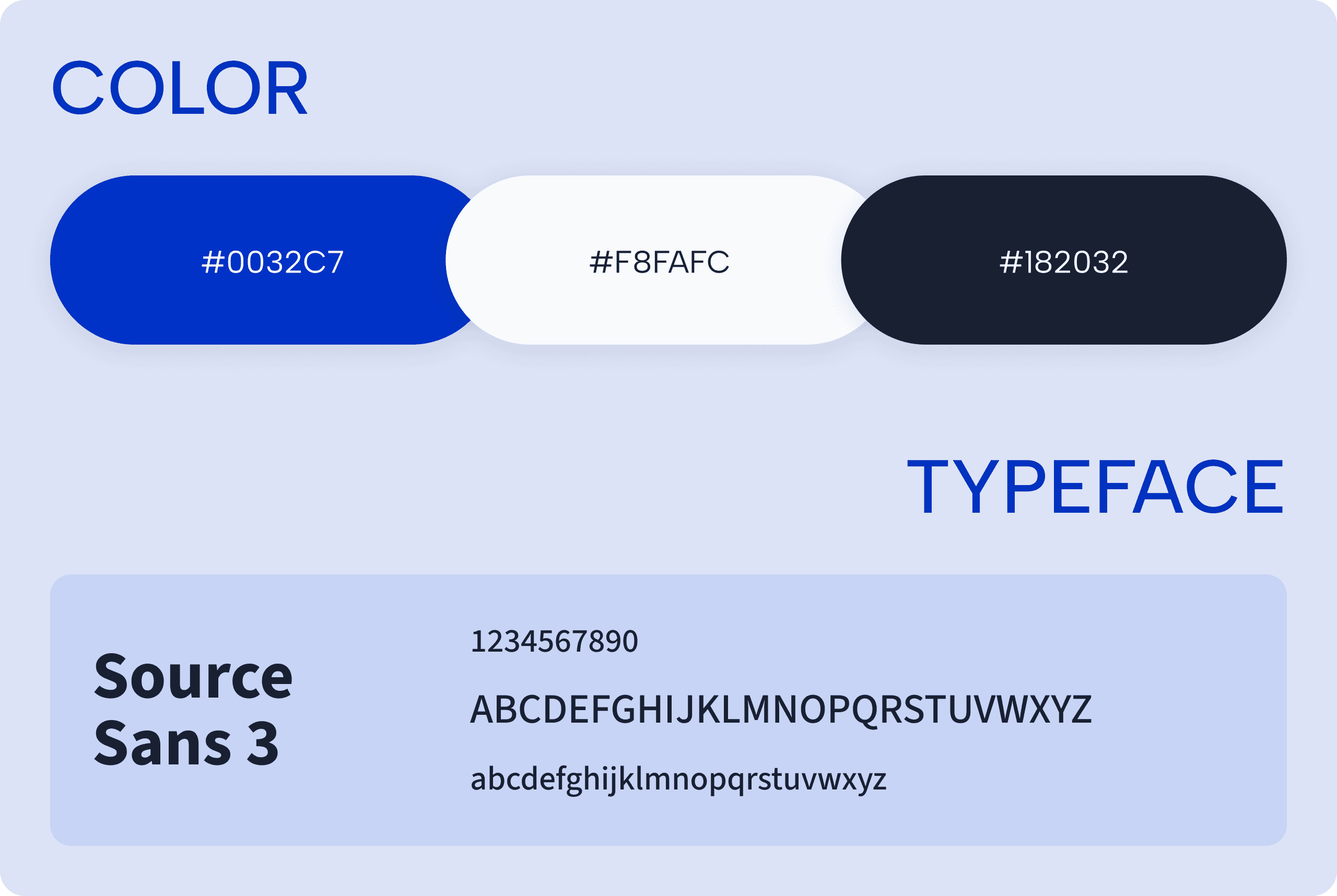
Design Guidelines & Components

Visualizing the Complete User Interface
Registration
The multi-step setup guides users through creating their secure account and prepares them to connect their storefronts immediately.

Dashboard
A high-level overview screen that aggregates critical business data such as total sales, pending orders, stock alerts, and recent store performance from all connected marketplaces into a single desktop view. It gives e-commerce owners a quick, comprehensive snapshot of their entire business health the moment they log in.

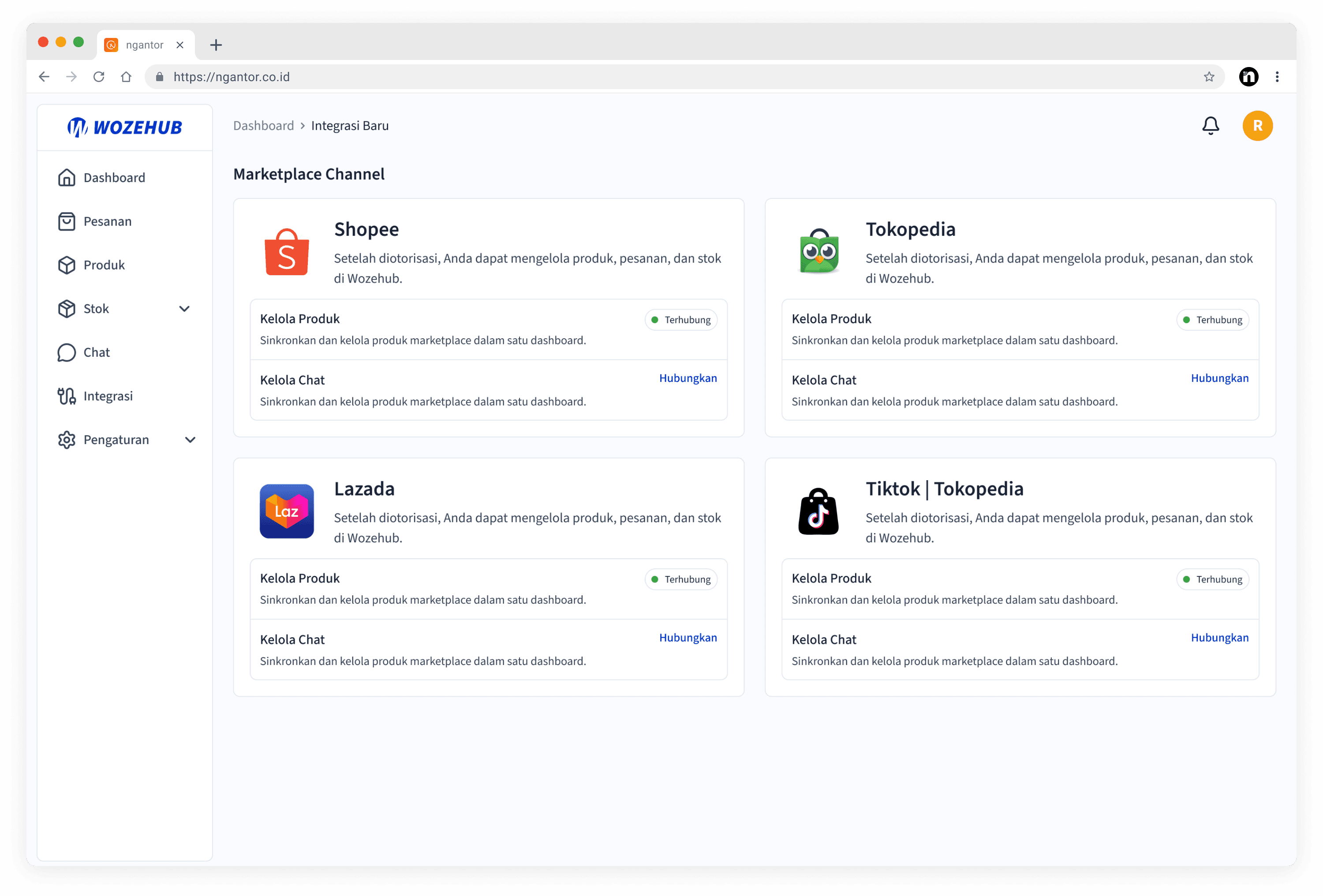
New Integration
A dedicated integration hub where users can link and authorize multiple external e-commerce platforms (such as Shopee, Tokopedia, or Lazada) in a few clicks. It provides clear status indicators showing which stores are successfully synchronized and active.
Product Management
A single workspace that aggregates inventory data from all connected storefronts. Users can view, edit stock levels, track details, and update product listings across multiple marketplaces simultaneously without needing to replicate data entry manually.

Chat
A centralized inbox that aggregates real-time customer messages and inquiries from various marketplace platforms into a single desktop interface. It allows owners to view the source platform of each chat and reply directly from one dashboard.

